Oct 30, 2026 | Energy Efficiency
Together, we made every watt count
November is a season for gratitude, and we’re grateful for you.
Across our communities, customers like you are finding practical ways to use less energy through simple everyday habits, energy-efficient upgrades and everything in between. Each choice is personal, but together they add up to meaningful progress.
Small choices. A big difference.
Over the past five years, PPL Electric Utilities customers saved enough electricity to power 259,000 homes for a full year.*
That progress belongs to you. Every action — large or small — helped make it possible, and it’s worth celebrating.
Maybe you upgraded to an energy-efficient heat pump.
Maybe you adjusted the thermostat by a degree or two.
Maybe you recycled an old refrigerator or replaced an appliance with a more efficient model.
Or maybe you simply remembered to turn off the lights when you left the room.
However you saved energy, thank you. Every upgrade, adjustment and new habit played a part. Whether you made one change or many, this accomplishment could not have happened without you.
Find your next smart energy solution
Your energy-saving journey doesn’t stop here, and you don’t have to take the next step alone.
Through PPL Electric Utilities Smart Energy Solutions, we’re continuing to offer a wide range of programs, rebates, tools and resources to help you save energy wisely, manage costs and make your home more comfortable.
Whether you’re taking your first step or planning your next upgrade, we’re here to help. We’re proud to be your partner in finding practical ways to save and excited to see what else we can accomplish together. The progress we’ve made is worth celebrating, and we’re excited to keep building on it.
What energy-saving change are you most proud of?
Share it in the comments. Your idea could inspire a neighbor to take their next step and give all of us one more reason to celebrate everything you accomplished.
*Source: EPA Greenhouse Gas Equivalencies Calculator
Oct 27, 2026 | Energy Efficiency
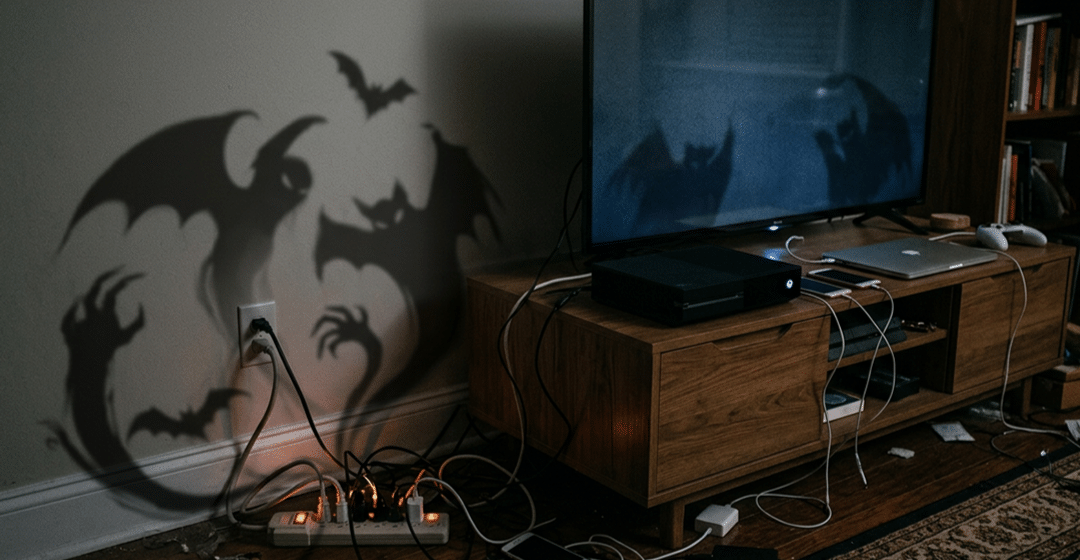
Ghosts and goblins aren’t the only things lurking in your home this Halloween. Some of your everyday electronics could be quietly draining electricity without you even realizing it.
They’re called energy vampires, and unlike the creatures in scary movies, these are real.
Energy vampires are electronic devices and appliances that continue using electricity even when they’re turned off. This is known as standby power, and while the amount of electricity consumed by a single device may seem small, it can add up over time.
Meet the energy vampires hiding in plain sight
You might be surprised by how many devices around your home are secretly devouring your electricity.
- Televisions: Many TVs continue drawing power in standby mode so they can quickly respond to your remote.
- Gaming consoles: Consoles with sleep or rest modes may continue using electricity to download updates, charge controllers or stay connected to the internet.
- Phone and laptop chargers: Some chargers consume small amounts of electricity when plugged in, even without a device attached.
- Coffee makers: Models with digital clocks, programmable timers or displays may use electricity even when they’re not brewing.
- Smart home devices: Smart speakers, voice assistants and other connected devices often remain powered on to listen for commands or maintain connectivity.
- Printers: Some printers draw electricity while in standby mode, waiting for the next print job.
- Cable boxes and streaming devices: These devices may continue running in the background to receive updates or maintain a connection.
- Microwaves: That convenient digital clock and display can consume electricity around the clock.
How to keep energy vampires from haunting your electric bill
The good news? You don’t need garlic or a wooden stake to stop these energy vampires. A few simple habits can help reduce unnecessary electricity use.
Unplug when you’re done. Disconnect chargers and electronics that don’t need to remain plugged in, especially when you’re away for an extended period.
Put power strips to work. Plug entertainment systems, computer accessories and other electronics into a switched power strip to turn off multiple devices at once.
Get smart with smart plugs. Smart plugs allow you to remotely control connected devices or set schedules to automatically turn them off when they’re not needed, helping reduce unnecessary electricity use.
Check your settings. Enable energy-saving features on TVs, gaming consoles and computers, and turn off unnecessary instant-on or standby functions.
Choose energy-efficient devices. When shopping for new electronics, look for ENERGY STAR-certified products designed to use less energy.
Know what needs to stay connected. Not every device should be unplugged. Internet routers, security systems and certain smart home devices may need continuous power to function properly.
Don’t let energy vampires give you a fright!
This Halloween, take a few minutes to look around your home and identify electronics that may be using electricity unnecessarily. Small changes to your everyday habits can help reduce wasted energy and keep your electric bill from becoming the scariest part of the season.
The trick? Spot the energy vampires. The treat? A more energy-efficient home.

Sep 30, 2026 | Energy Efficiency
Put your skills to the test with our Sweet Savings Stacker. Create matching rows of candy to clear them and unlock energy-saving tips you can use around your home. Ready to play?
The game may be over, but there are more tips to uncover. From gaming and streaming to Halloween decorations and seasonal desserts, try these ways to manage energy use around your home this fall.
Give your game console a break
Your gaming system doesn’t need to keep playing when you aren’t. Power down your console when you’re finished instead of leaving it on. You can also check your console’s power-saving settings and keep your system software up to date.
And when you’re streaming a movie or show, you can save energy by using a smart TV or a dedicated streaming device instead of your gaming console.
Power down after the final whistle or credits
Football games. Movie marathons. Binge-watching. Your entertainment center can get plenty of use during a lazy fall weekend.
When the show’s over, turn off the TV and any devices connected to it. You can turn on your TV’s energy-saving settings and adjust the screen brightness, too.
Give vampire power a rest
Some electronics keep drawing energy even when they’re not being used. This standby energy use is sometimes called “vampire power.”
Look around your home for devices that stay plugged in around the clock. Unplug any electronics that you barely use or connect them to an advanced power strip that can help cut power when they’re not needed.
Give your Halloween decorations an LED glow
Going all out on the ghosts, pumpkins and otherworldly porch decorations? Choose ENERGY STAR® certified LED light strings instead of traditional incandescent lights. LEDs use less energy and last longer. Add timers or smart plugs to your display so your decorations turn off when everyone else turns in.
Find energy-efficient additions for your home
Looking for products that can help you manage your energy use? Our
Online Marketplace makes it easy to shop for energy-efficient products for your home. Explore options like smart thermostats, advanced power strips, dehumidifiers and other energy-saving products.
Clear out an old refrigerator or freezer
If you’ve got an old refrigerator or freezer haunting your basement or garage, it could be using more energy than you thought.
Our Appliance Recycling Program can help you responsibly recycle your working refrigerators and freezers. It’s a great way to get that scary, old appliance out of your home.
Fall allergy season can lead to more time with your air purifier running. ENERGY STAR certified air purifiers are about 25% more energy efficient than standard models. Plus, you can shop for an energy-efficient air purifier from the comfort of your own home through the
Online Marketplace.
Make your pumpkin treat no-bake
Here are some sweet savings for your taste buds. Skip the oven and try this no-bake pumpkin pie or another no-bake fall dessert. You’ll get all the flavors of the season without the extra energy use.
Ingredients
1 pre-made 9-inch graham cracker crust
1 cup (8 oz.) canned pumpkin puree (not pie mix)
1 box (3.4 oz.) instant vanilla pudding mix
1/4 cup cold milk
2 teaspoons pumpkin pie spice
1 tub (8 oz.) whipped topping (Cool Whip)
Instructions
Whisk the instant vanilla pudding mix and cold milk in a large bowl until it starts to thicken.
Stir in the canned pumpkin puree and pumpkin pie spice until no lumps remain.
Gently fold in the whipped topping until no streaks remain.
Spread the mixture evenly into the graham cracker crust. Cover and refrigerate for at least 3 hours until firm.
Serve with whipped cream.
Small changes can stack up
Just like in Sweet Savings Stacker, a few strategic moves can really add up. Start with the energy-saving tips that work for you, then look for more simple ways to manage your energy use throughout the season.
Sep 1, 2026 | Energy Efficiency
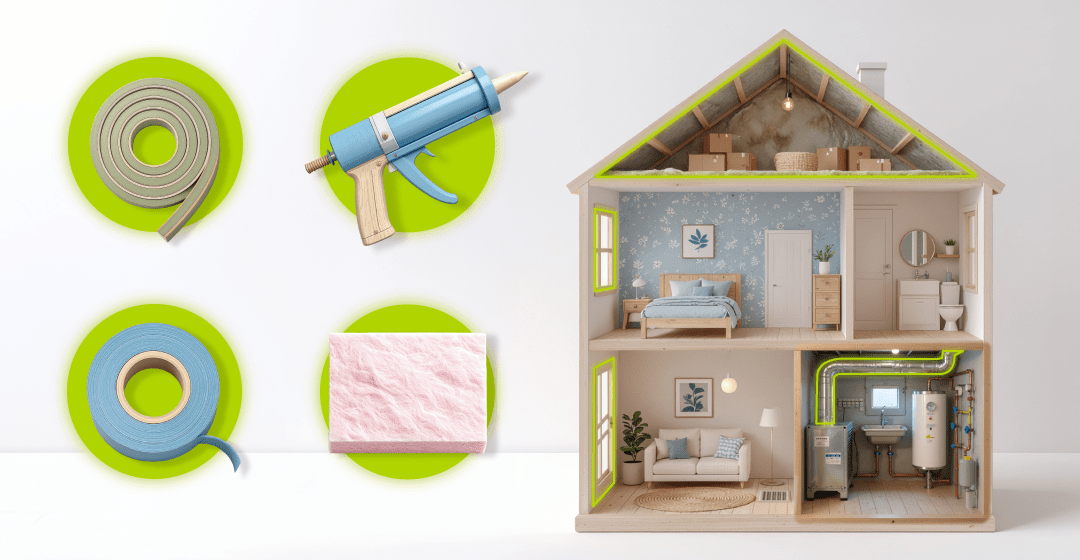
Cooler weather will be here before we know it, but getting your home ready doesn’t have to feel overwhelming. A few DIY projects can help reduce drafts, improve comfort and make your home more energy efficient throughout the season. Sealing air leaks and adding insulation are among the most cost-effective ways to improve comfort in your home while reducing the energy needed to heat it.
In fact, the EPA estimates that air sealing and adding insulation can save homeowners an average of 15% on heating and cooling costs.
Whether you’re checking off one project this weekend or working your way through the list over the next few weeks, your Fall Prep Checklist can help you get started and stay organized.
Use the guide below to learn more about each item on your Fall Prep Checklist.
These beginner-friendly projects require only basic tools and not a lot of time.
☐ Find air leaks
Before you can seal drafts, you need to find them. Even small air leaks around windows and doors can let warm air escape and make your home less comfortable during colder weather.
Two simple tests can help you spot problem areas:
- Hold a damp hand near windows, doors and other areas where you suspect a draft. If you feel moving air, you’ve likely found an air leak.
- Close a window or exterior door on a dollar bill. If you can easily pull it out, the seal may not be tight enough.
Watch this short video to see these quick tests in action
☐ Add or replace weatherstripping
Weatherstripping helps create tight seals around exterior doors. However, over time, this weatherstripping can crack, flatten or peel away, allowing outside air to enter your home. Adding or replacing weatherstripping can help keep your home more comfortable before winter arrives.
Need a walk-through? Watch the video to see exactly what to look for and how to replace it.
☐ Caulk around window frames
Even small gaps around your window frames can allow outside air to find its way indoors.
Inspect the caulk around your interior window frames. If you notice cracking, shrinking or missing sections, remove the old caulk and apply a fresh bead to help create a tighter seal. Our step-by-step video covers everything you need to know.
Ready to take on something a bit more involved? These projects require extra materials or steps, but they can make an even bigger difference.
☐ Seal behind window or door trim
Even when your windows and doors close tightly, hidden gaps between the frame and the wall can still allow warm air to escape.
This project involves carefully removing the interior trim, sealing the gap between the window or door frame and the wall, then reinstalling the trim.
What you’ll need:
- Low-expansion foam sealant for windows and doors
- Putty (for stained trim) or spackle and paint (for painted trim)
- Pry bar
- Putty knife
- Utility knife
- Hammer and nail punch or brad nail gun
- Pliers or nippers
- Rags
- Gloves
- Eye protection
- Dust mask
Basic steps:
- Remove the interior trim around one window or door.
- Carefully loosen the trim by cutting along the painted edge with a utility knife, then gently pry it away from the wall using a putty knife and pry bar.
- Check the gap between the wall framing and the window or door jamb. If there’s little or no insulation or sealant, the area may need to be sealed.
- Remove any old insulation from the gap.
- Apply low-expansion foam sealant and allow it to harden.
- Trim away any excess foam.
- Reinstall the trim and replace any nails that were removed.
- Fill the nail holes with matching putty or spackle and paint as needed.
Safety reminder: Homes built before 1978 may contain lead paint. Removing trim can create hazardous dust. Consider working with a qualified contractor if this applies to your home.
☐ Seal your attic hatch
Your attic hatch is often overlooked, but without a proper seal, it can allow warm air to escape into the attic.
What you’ll need:
- Self-adhesive weatherstripping
- Rigid foam board or fiberglass insulation
- Construction adhesive
- Utility knife
- Tape measure
Basic steps:
- Clean the edge of the attic opening.
- Apply weatherstripping around the opening to create a continuous seal.
- Cut insulation to fit the back of the hatch.
- Attach the insulation securely.
- Close the hatch and make sure it forms a snug seal.
DIY shortcut: Pre-made insulated attic stair covers are available at many home improvement stores and online.
☐ Seal small gaps around pipes and wiring
Openings around plumbing vent pipes and electrical wiring can allow warm air to escape into the attic. Sealing these small gaps helps improve your home’s air seal.
What you’ll need:
- Low-expansion spray foam
- Caulk
- Gloves
- Safety glasses
Basic steps:
- Locate visible openings around pipes and wiring.
- Fill larger gaps with low-expansion spray foam.
- Seal smaller gaps with caulk.
- Allow the sealant to cure before replacing any insulation that was moved during the project.
Safety reminder: Wear gloves when using expanding foam. Once it cures, the foam can be very difficult to remove from skin or clothing. Be careful when working around electrical wiring and avoid disturbing any electrical connections.
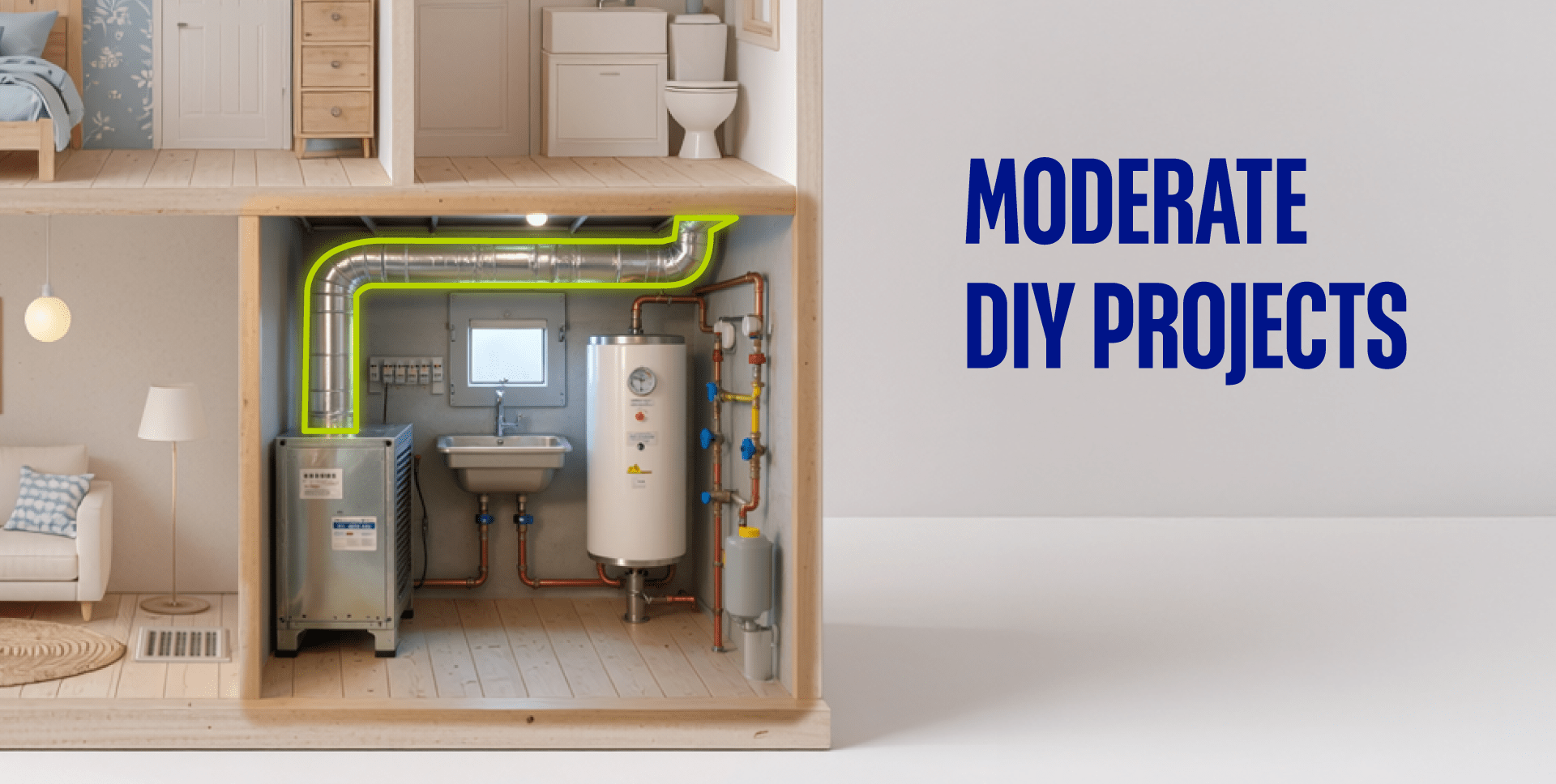
☐ Seal leaky ducts
If your ductwork runs through an attic, basement or crawl space, leaks can allow heated air to escape before it reaches the rooms you’re trying to keep comfortable. Sealing and insulating your ducts can help improve your HVAC system’s performance and efficiency.
What you’ll need:
- Something to dust off the area
- Foil tape (not duct tape)
- Work gloves
- Duct sealant (mastic) (optional)
- Paintbrush (optional)
- Flashlight (optional)
- Fiberglass duct insulation (optional)
- Utility knife (optional)
Basic steps:
- Turn off your HVAC system before starting any work.
- Clean off any dust or debris on and around the crack.
- Seal gaps along straight duct seams with foil tape.
- Apply duct sealant with a paintbrush where elbow joints connect to straight sections. (optional)
- Wrap accessible ducts with fiberglass insulation and secure it with foil tape. (optional)
Watch the video for step-by-step instructions for inspecting and sealing accessible ductwork.
Some of the most effective cold-weather improvements involve areas that can be difficult to safely seal and insulate on your own. If you’d rather leave these projects to a professional, consider working with a qualified contractor.
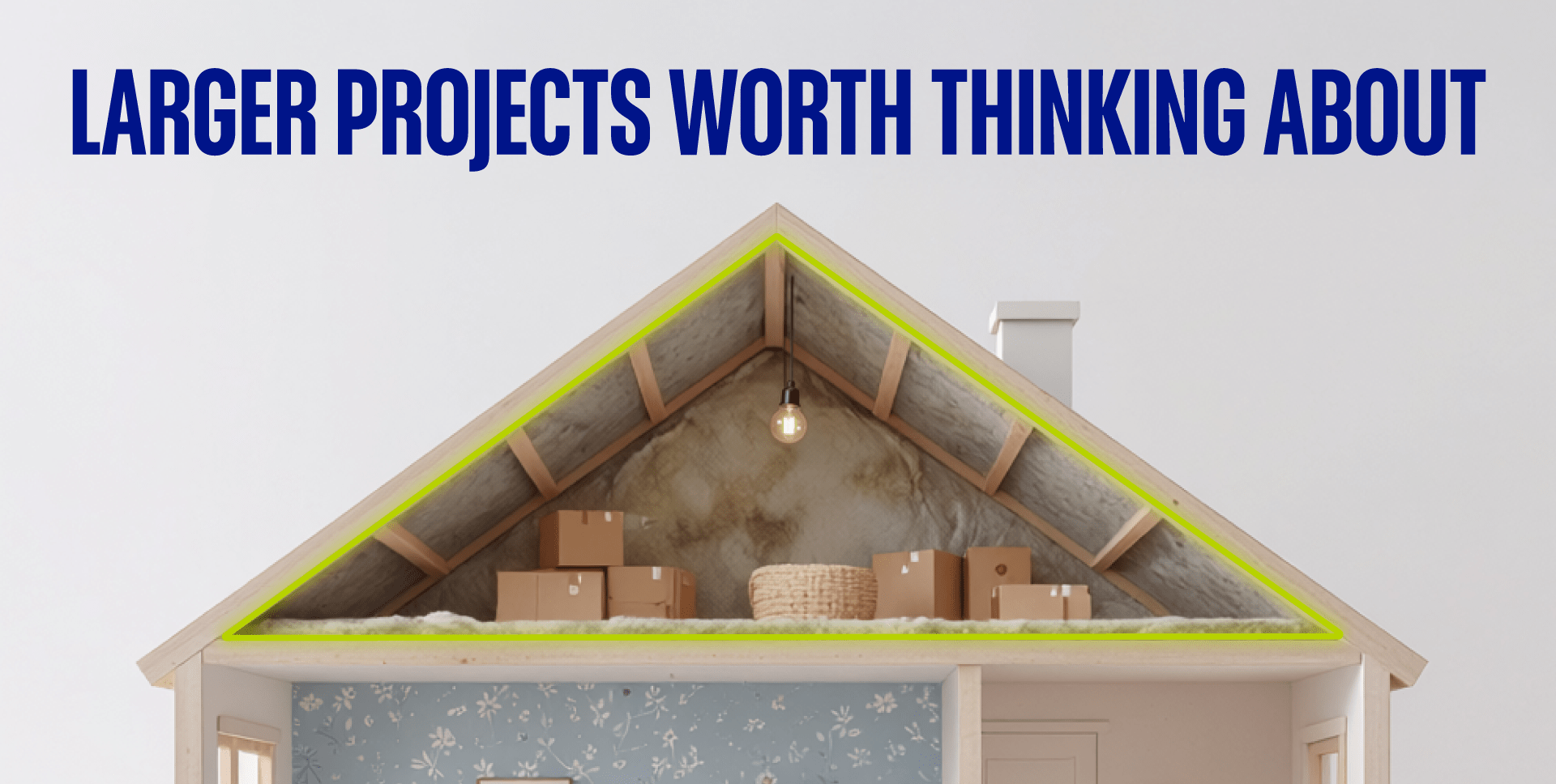
☐ Consider professional attic air sealing
The largest air leaks in a home are sometimes hidden beneath attic insulation.
Have a qualified contractor evaluate your home if you notice:
- Wet insulation
- Mold
- Roof leaks
- Ice dams
- Ventilation problems
- Older knob-and-tube wiring
☐ Consider professional basement air sealing
As warm air escapes through leaks in your attic, cold outside air is pulled into the home through gaps in the basement. Professionally sealing these hidden basement leaks can help reduce drafts and improve comfort throughout your entire home.
No-cost tip
Take advantage of the mild September weather by opening your windows and letting fresh air circulate through your home. Just make sure to fully close all your windows before you turn on the heat for the first time this season.
Get one check mark closer to winter
You don’t have to finish every project in a single weekend. Start with the quick wins and then tackle a moderate DIY project when you have more time. And if you’re planning larger home improvements, consider talking with a qualified contractor about professionally sealing your attic or basement.
Every project you complete is another step toward a more comfortable home during the cold season. So pull up your Fall Prep Checklist, choose your next project and start checking them off.
Want to keep the momentum going? Visit SaveWithPPL.com for more simple ways to manage your energy use and find tools to help you along the way.

Aug 13, 2026 | Energy Efficiency
Summer is a time when many homes use the most energy, especially during long stretches of hot weather. If you’ve been wondering what’s using the most electricity in your home, the Energy Analyzer can help you find out.
This free tool breaks your home’s energy use into easy-to-understand insights, showing which appliances use the most electricity, how your usage changes over time and where you might find opportunities to save.
These video walk-throughs explain the different sections of the Energy Analyzer and show you how to get the most from it.
Access the Energy Analyzer
To get started, sign in to your online PPL Electric Utilities account. Select My Account, choose Account Summary, then scroll down and select Explore Energy Analyzer. Once it opens, you’re ready to begin exploring your home’s energy use.
Personalize your experience
If you’re new to the Energy Analyzer, the Home Survey is the most important step in getting started. It only takes a few minutes to complete. You’ll answer questions about your home’s size, heating and cooling systems, and the appliances you use. As your home changes over time, updating the survey can help keep your energy breakdowns and recommendations as accurate as possible.
Get to know your dashboard
The dashboard is your starting point for exploring the Energy Analyzer. Start by looking at your recent appliance breakdown, Bill Summary and Bill History. You’ll also find personalized insights and quick links to the Energy Analyzer’s main sections, making it easy to explore each feature.
See what uses the most electricity
The Energy Details page starts with the Appliance view, where you can see approximately how much electricity your different appliances have used during each billing period. You can compare months over time or focus on a single category (like Cooling or Always On) for a closer look.
Get to know Always On
The Always On category includes devices that quietly use electricity around the clock, like internet equipment, televisions and other electronics that are always plugged in. Some electronics even continue using small amounts of electricity when they’re turned off. It’s something often called “vampire power.”
Some devices need to stay on all the time, so it’s not really possible to completely remove Always On energy use. But if a higher-than-expected Always On category catches your eye, it could be worth checking for electronics that never fully power down. Smart plugs and advanced power strips can also help curtail unnecessary energy use.
Take a closer look at your usage
Switch to the Usage view to see your electricity use from a different perspective. Compare billing periods throughout the year, then zoom in to view electricity use by month, day or hour to better understand when your home used the most electricity.
Understand your monthly summary
If one of your bills was higher than another, the Monthly Summary is a great place to begin looking for answers. See how different appliance categories contributed to your energy use and compare one billing period with the next. At the top of the page, you’ll find a Bill Breakdown showing your total energy use and bill charges. Below that, you’ll see approximately how much each appliance category contributed during that billing period.
Check out your personalized recommendations
Based on your home and your survey responses, the Recommendations section points you toward personalized energy-saving tips that can help you reduce your energy use. Some recommendations focus on simple habit changes you can start using right away. Others highlight rebates, programs and equipment upgrades that can have an even greater impact on your home’s energy use while improving comfort.
Find answers to common questions
Have questions about how the Energy Analyzer works? The FAQs section explains appliance categories, answers common questions and provides more information about how your home’s energy use is estimated.
Bonus tip: Check your electricity usage
Looking for the most up-to-date view of your electricity use? Outside of the Energy Analyzer, your online account also includes Electricity Usage charts, where you can view your electricity use by month, day or hour.
To find it:
1. Sign in to your PPL Electric account.
2. Select My Account.
3. Choose Check Usage.
4. Scroll down and select the Electricity Usage chart.
5. Use the buttons to switch between Monthly, Daily and Hourly views.
Get out there and explore
Now that you’ve seen what the Energy Analyzer can do, log in to your online account and explore it for yourself. Check in each month to spot trends, track changes and make informed decisions about your home’s energy use.